
To know the version of your browser and to update it, follow these steps:
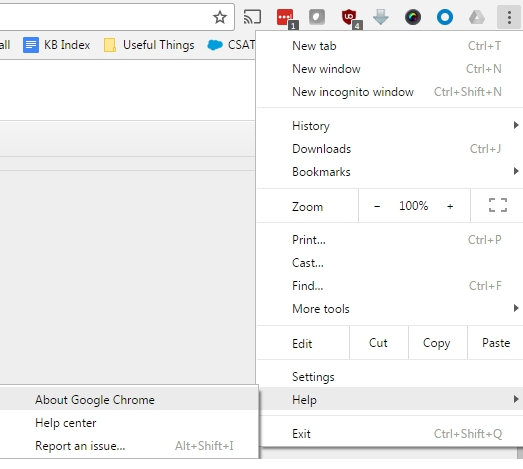
1. In the upper right corner, select the menu icon .
2. In the menu that opens, select Help , then select About Google Chrome.
.
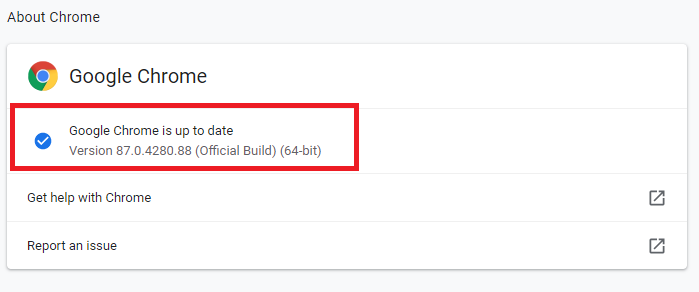
3. Normally, Chrome should automatically check for available updates and apply them. If not, select the option to check for updates.
4. Make sure your Google Chrome browser is updated to the latest version.
5. When the update is complete, close Chrome and then reopen it to complete applying the update to the browser.
If the above procedure does not work, we recommend switching to a different browser or using a different device to complete the interview. Click the following link for our guide to using a mobile device to take the interview: How to use a mobile device to take the interview .